
Field operations for MSPs
Field operations, built for MSPs.
Engineers get a guided, offline-capable route through every job. Office managers get evidence checked in Ops Review and handed to finance under control. Not another ticketing tool.
Full native iPhone app · Android app in production
Built around the engineer's day
Schedule to sign-off, one continuous record.
Every stage of a visit is captured where it happens, so the office never has to reconstruct it later.
- 01
Prepare
Hardware is checked and handed off for collection.
- 02
Schedule
Dispatch books the visit on the board.
- 03
Journey
Start Journey records travel.
- 04
Work
Arrived, then Start Work against the job.
- 05
Evidence
Photos, products, notes and signature.
- 06
Completion
Work Complete hands it to the office.
Inside the office workspace
From booking to billing, without the gaps.
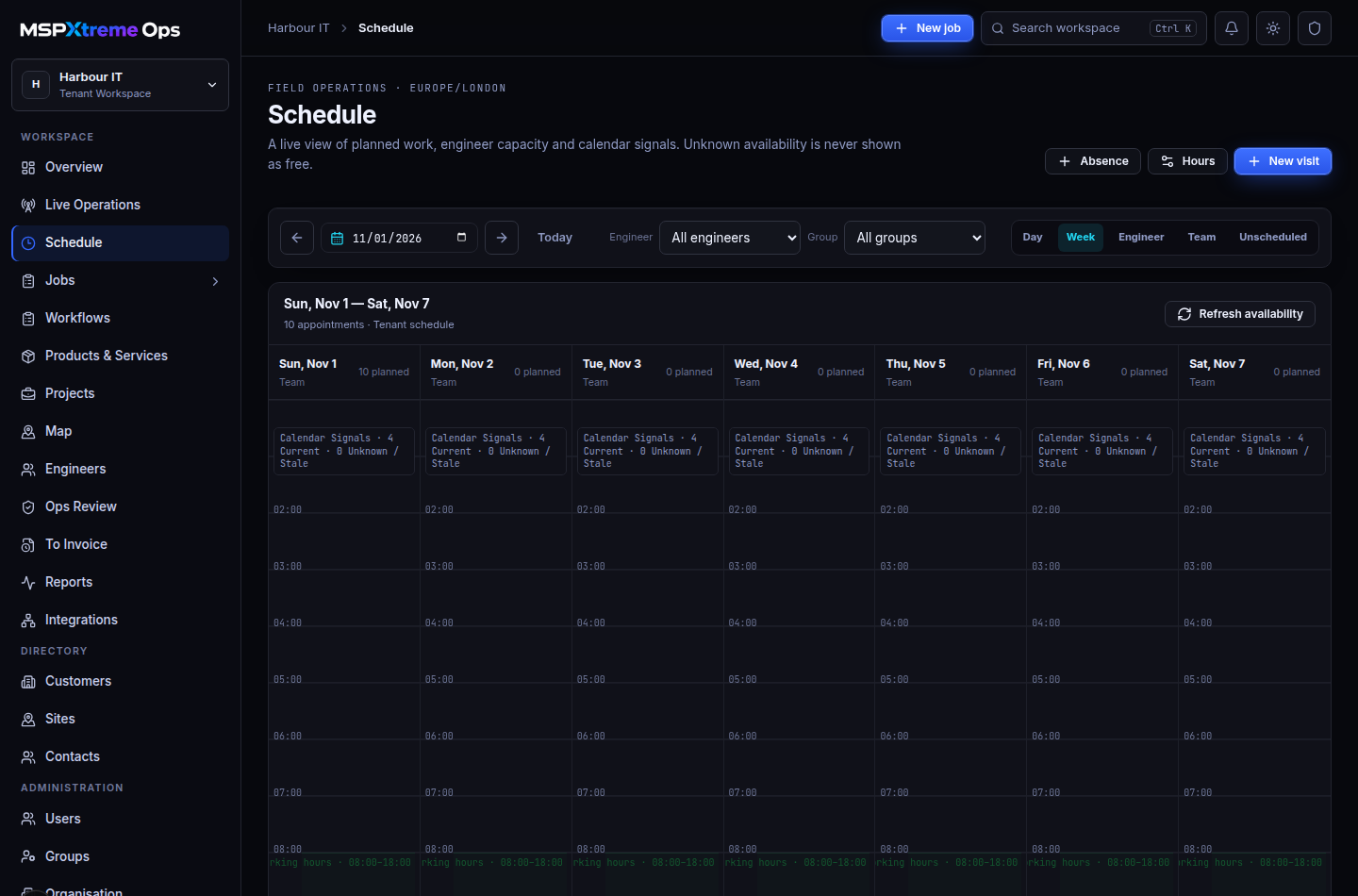
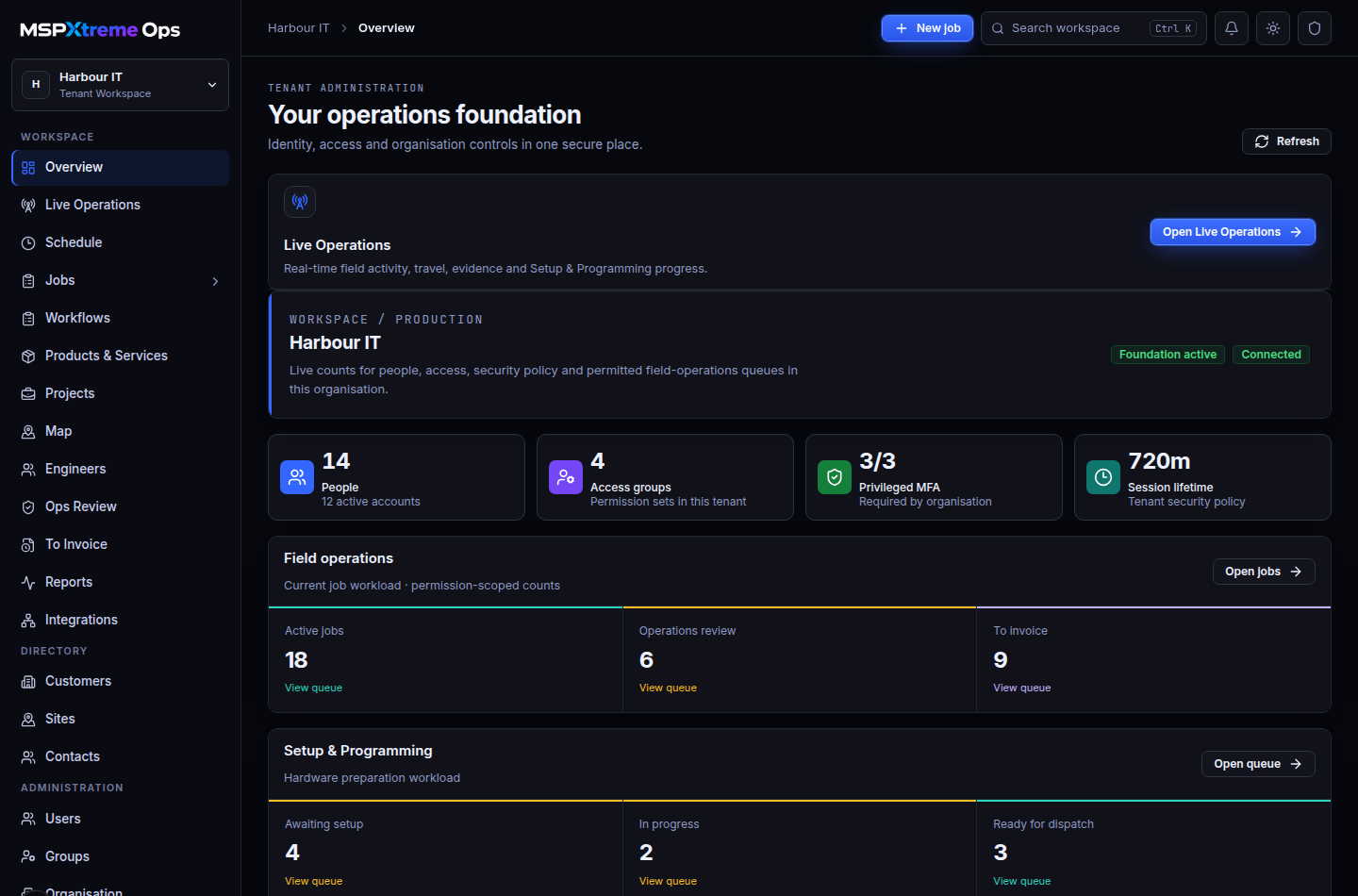
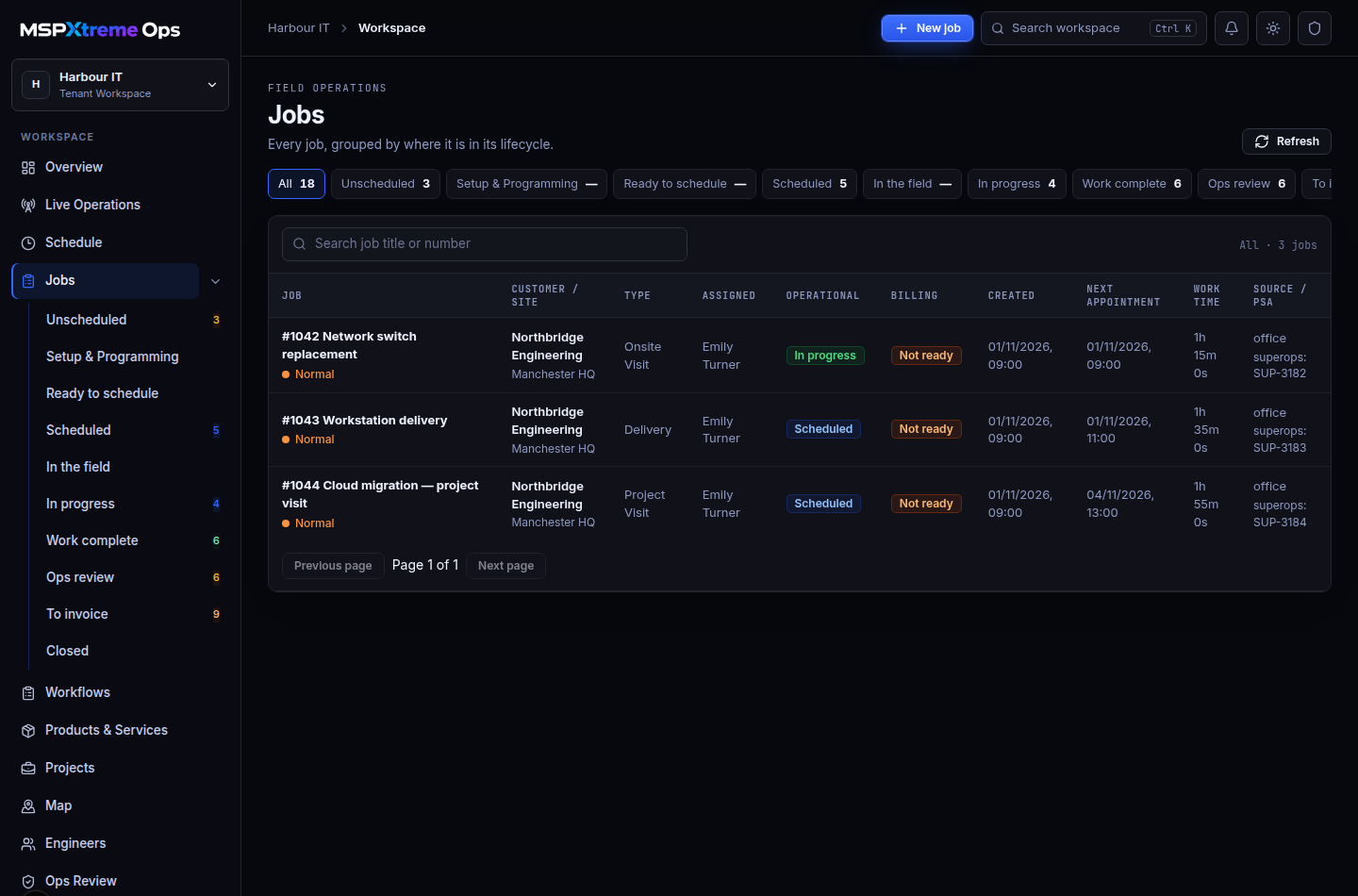
Today's jobs, engineer states and work waiting on the office, in one view.
Your field team, live
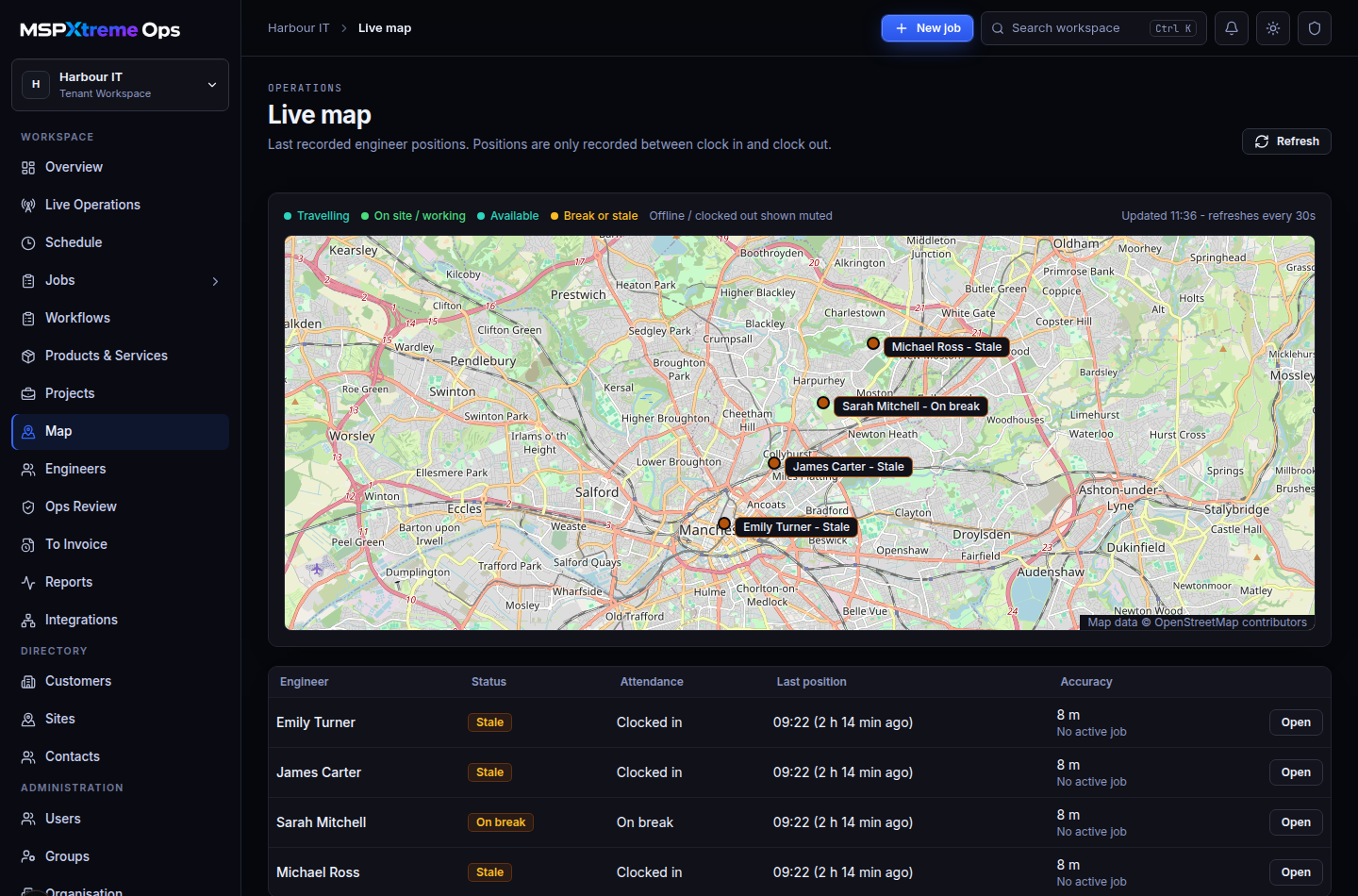
See who is travelling, on site or on a break
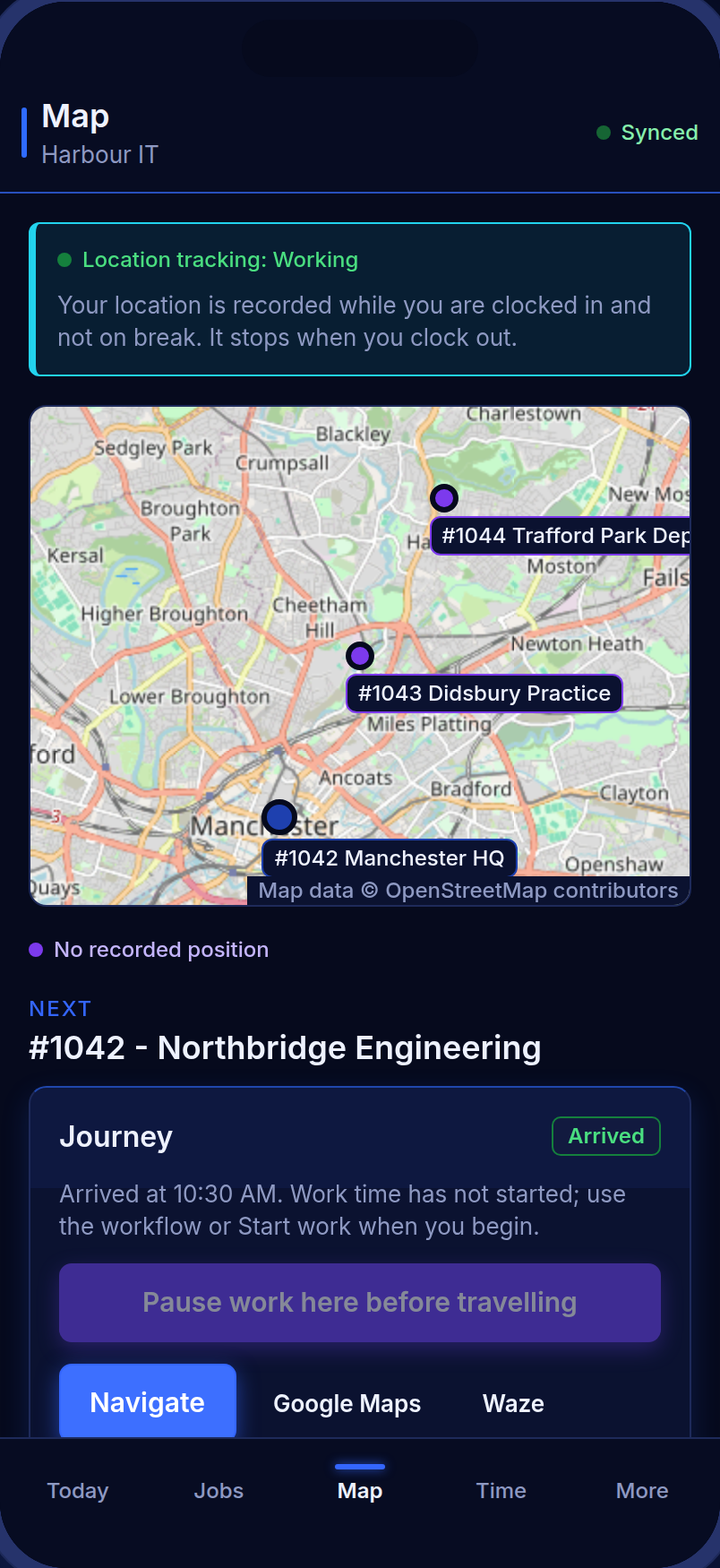
The live map combines GPS position with attendance and travel state, so dispatch knows what each engineer is doing, not just where they are.
- Live engineer locations and tracking states
- Stale-location detection when a device goes quiet
- Attendance and travel state beside the map
- Tracking day coverage, with gaps shown
- Historic route archive with configurable retention
Guided, not just ticketed
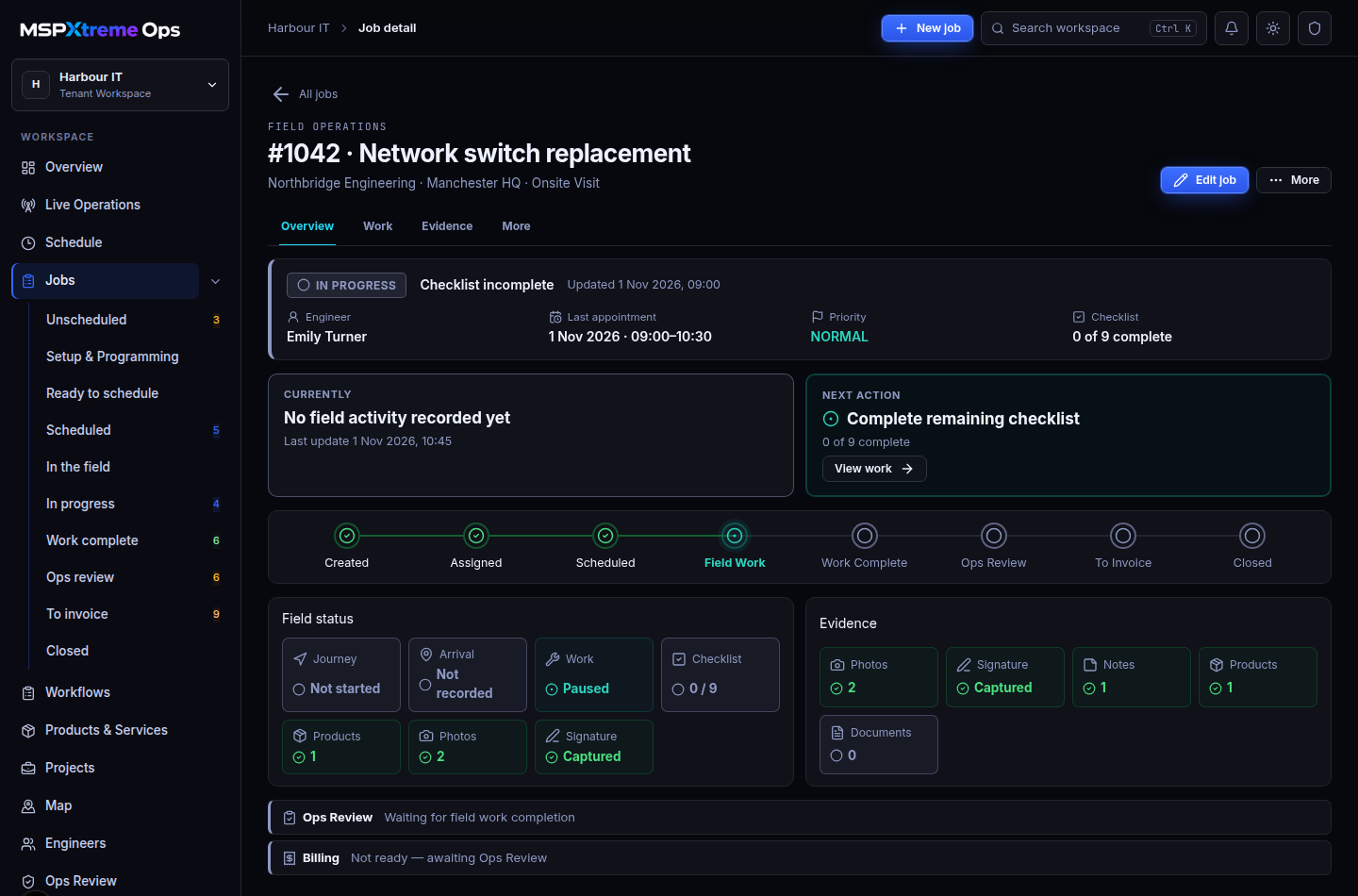
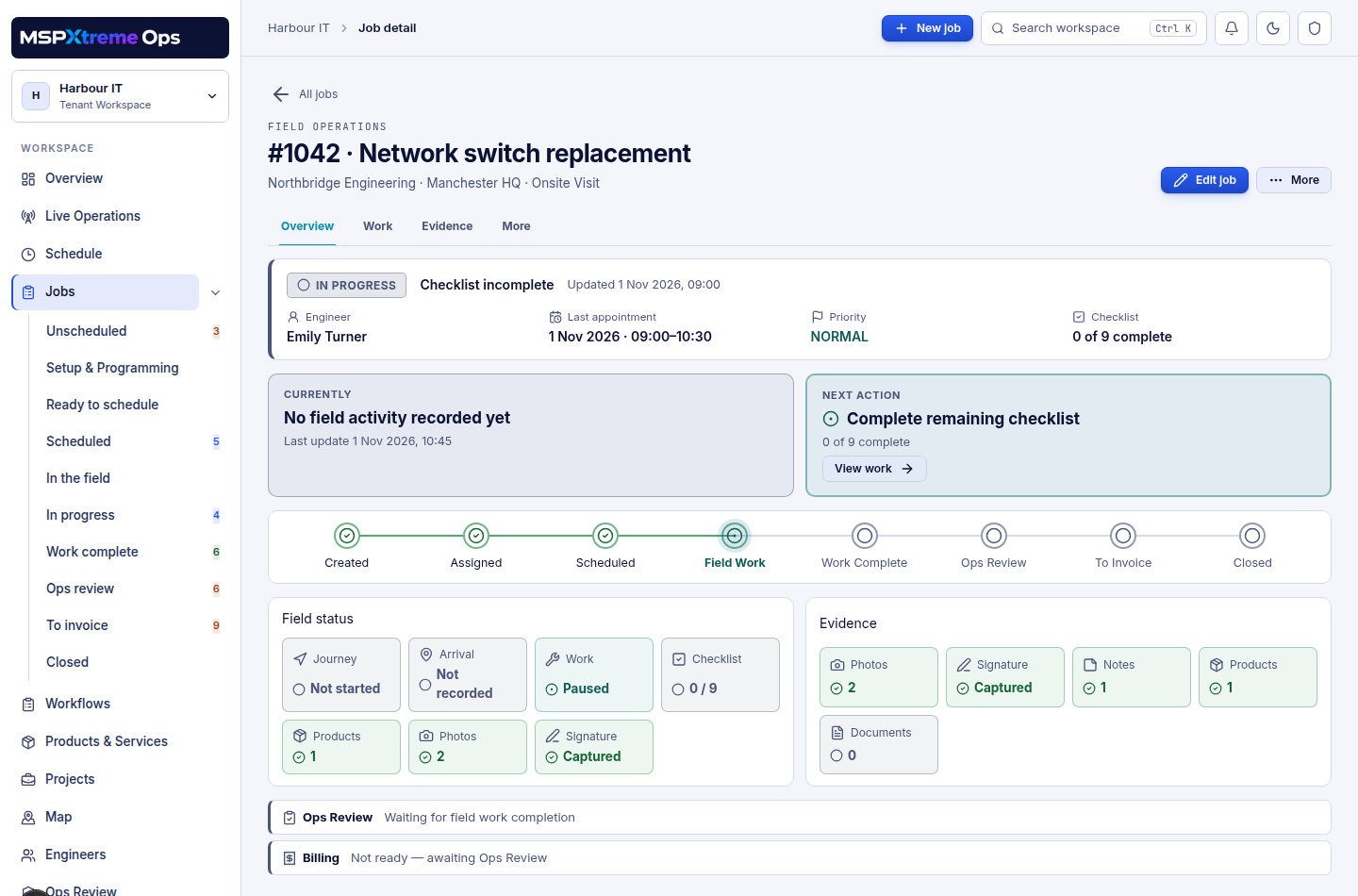
Every job shows what is done, what is next and what is blocking it
The guided job route runs from plan and preparation through time, workflow, products, evidence and completion to Ops Review and finance. Each stage reads from the saved record, so blockers are real ones.
- Required evidence and steps named when missing
- Return and reopen reasons shown to the engineer
- Preparation readiness visible before the visit
Every job follows a process
Your workflows, completed the same way every time
Job types define the steps engineers must complete. Required steps are enforced before work can be marked complete.
- Onsite Visit
- Delivery
- Collection
- Project Visit
- Site Survey
- RMA
- Ad-hoc work
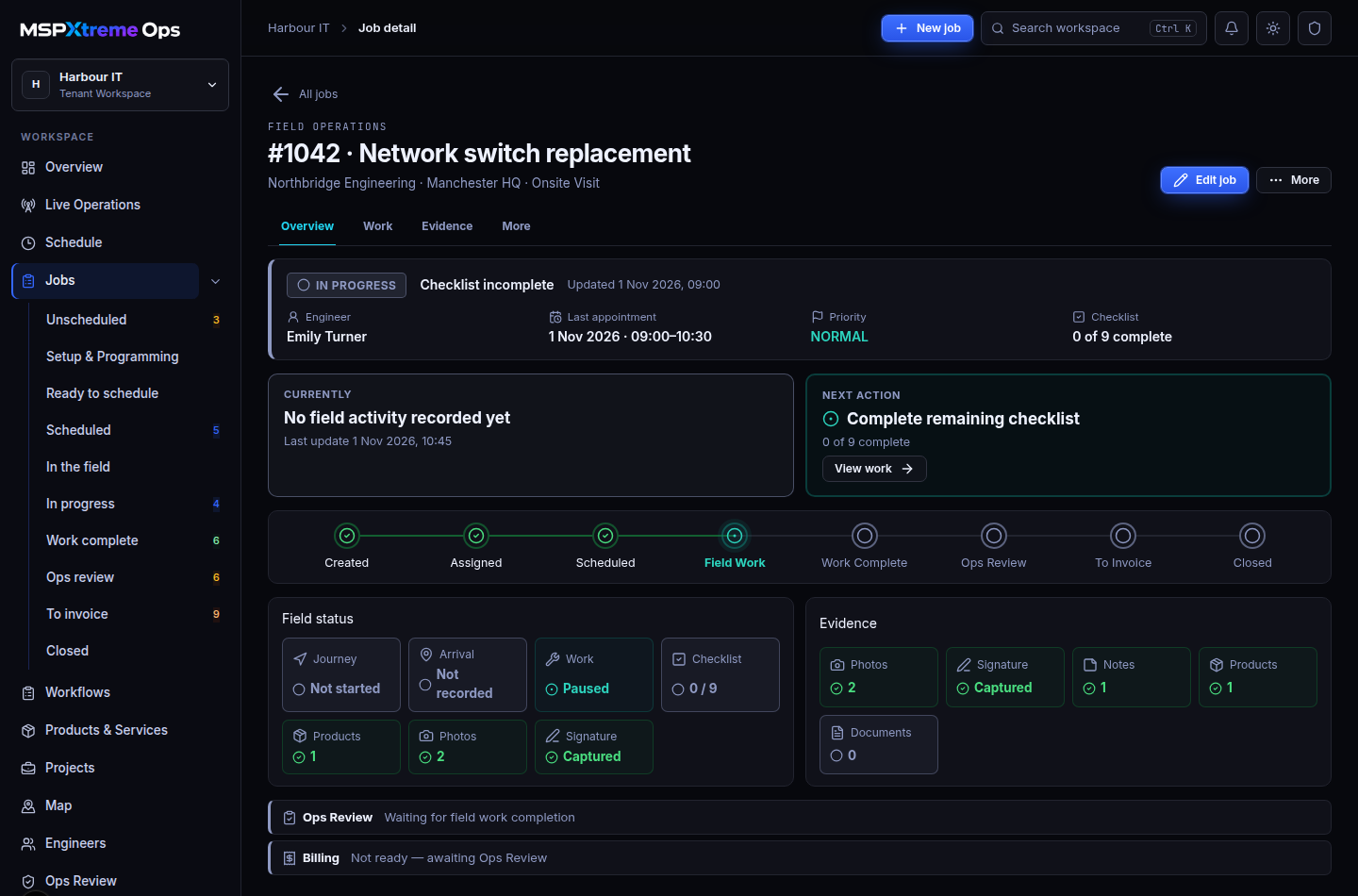
Extra work stays separate
Asked to fix one more thing? That is a new job.
An engineer on site for Job A is asked about an unrelated problem. They raise Job B in the app. Job A pauses. Job B gets its own time, products, notes, photos and completion. Then they resume Job A.
- No unbilled favours hidden inside another job
- Clean time for both pieces of work
- Each job reviewed and invoiced on its own
Why it matters: Extra work is captured and billed instead of forgotten.
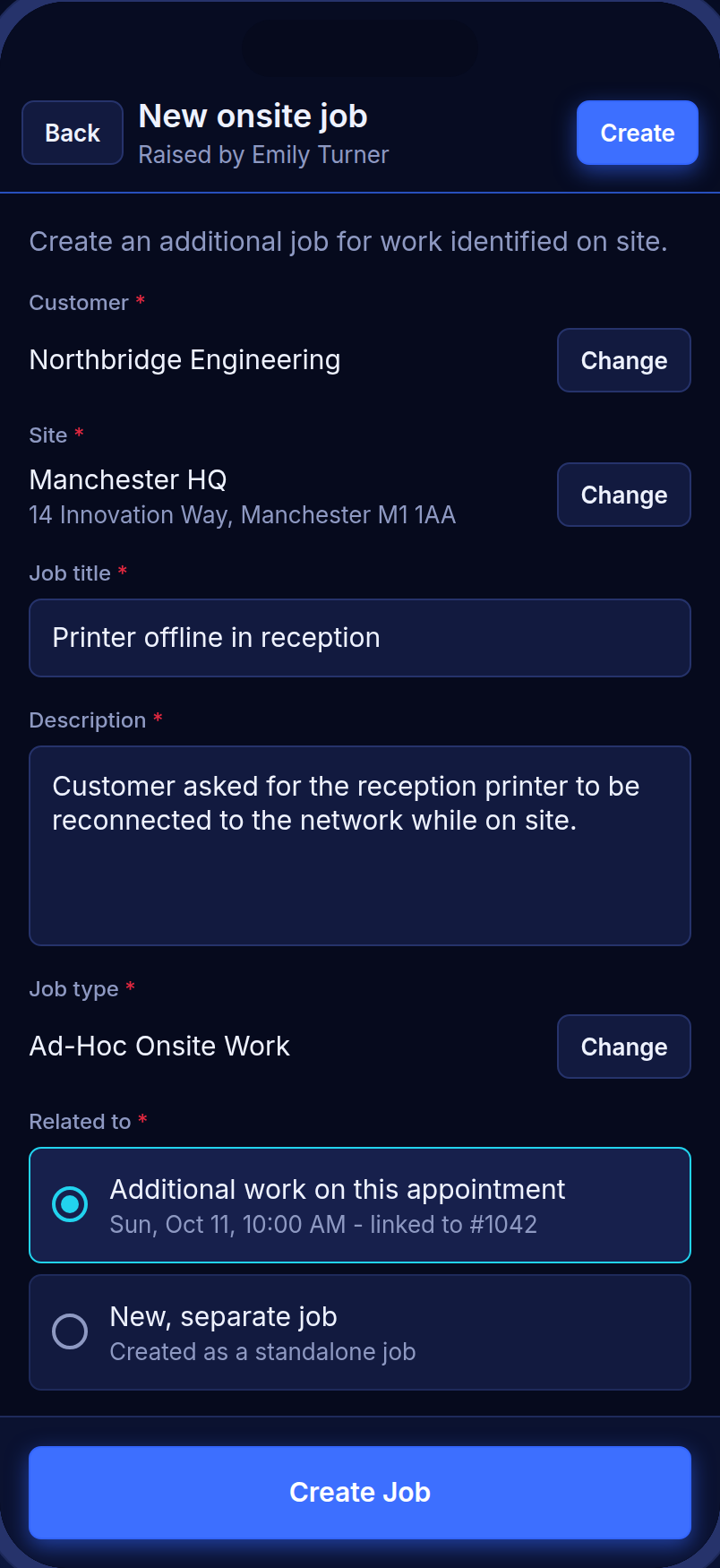
Evidence captured at source
Proof of work, attached to the job
Captured on the device during the visit, categorised, and visible to the office the moment it syncs.
Photos
Before, after, damage, serials and proof of delivery.
Signatures
Customer sign-off, engineer signature and recorded refusals.
Products
Catalogue items, quantities and serial numbers.
Notes
Engineer, internal, billing and customer-facing notes.
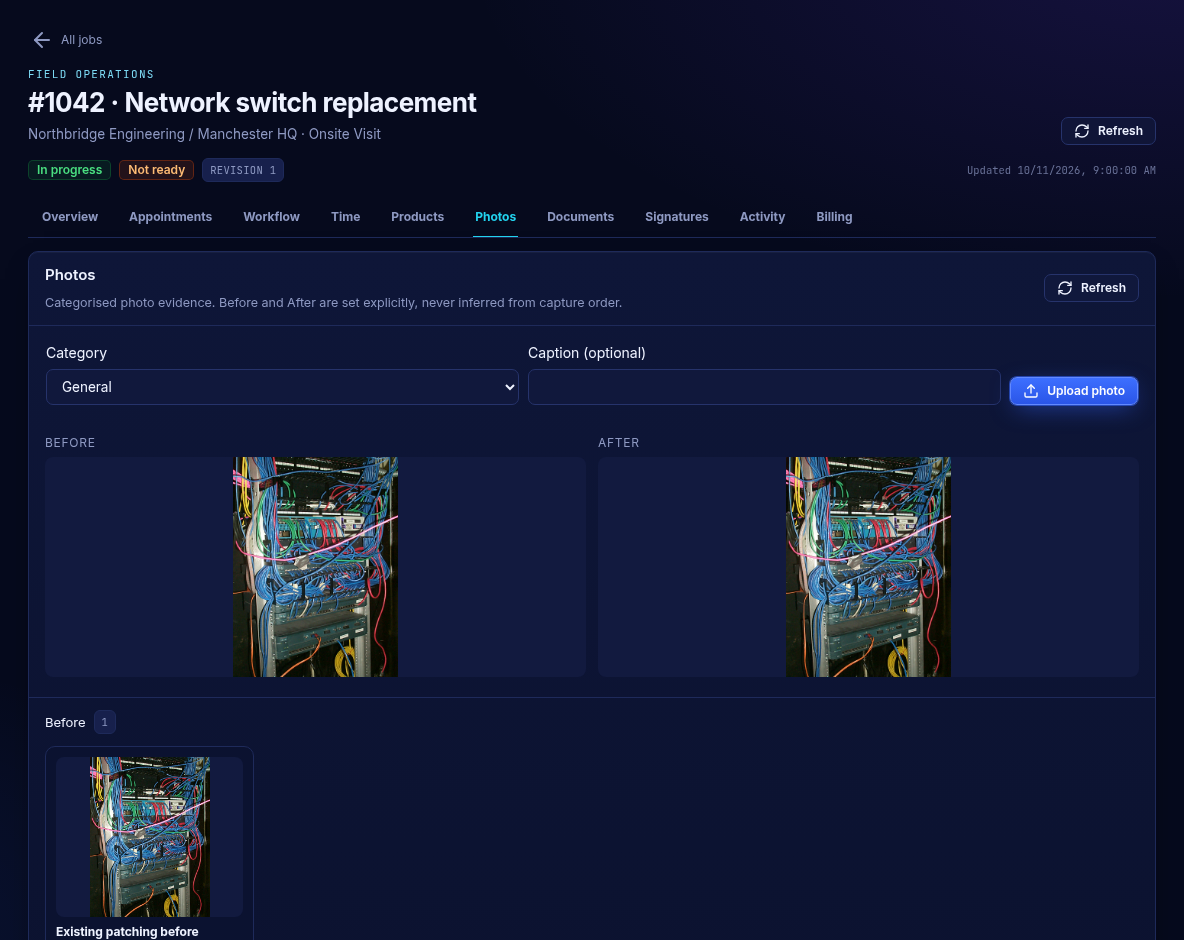
Example rack photo: Jon Parise, CC BY-SA 2.0; resized within the example screen.

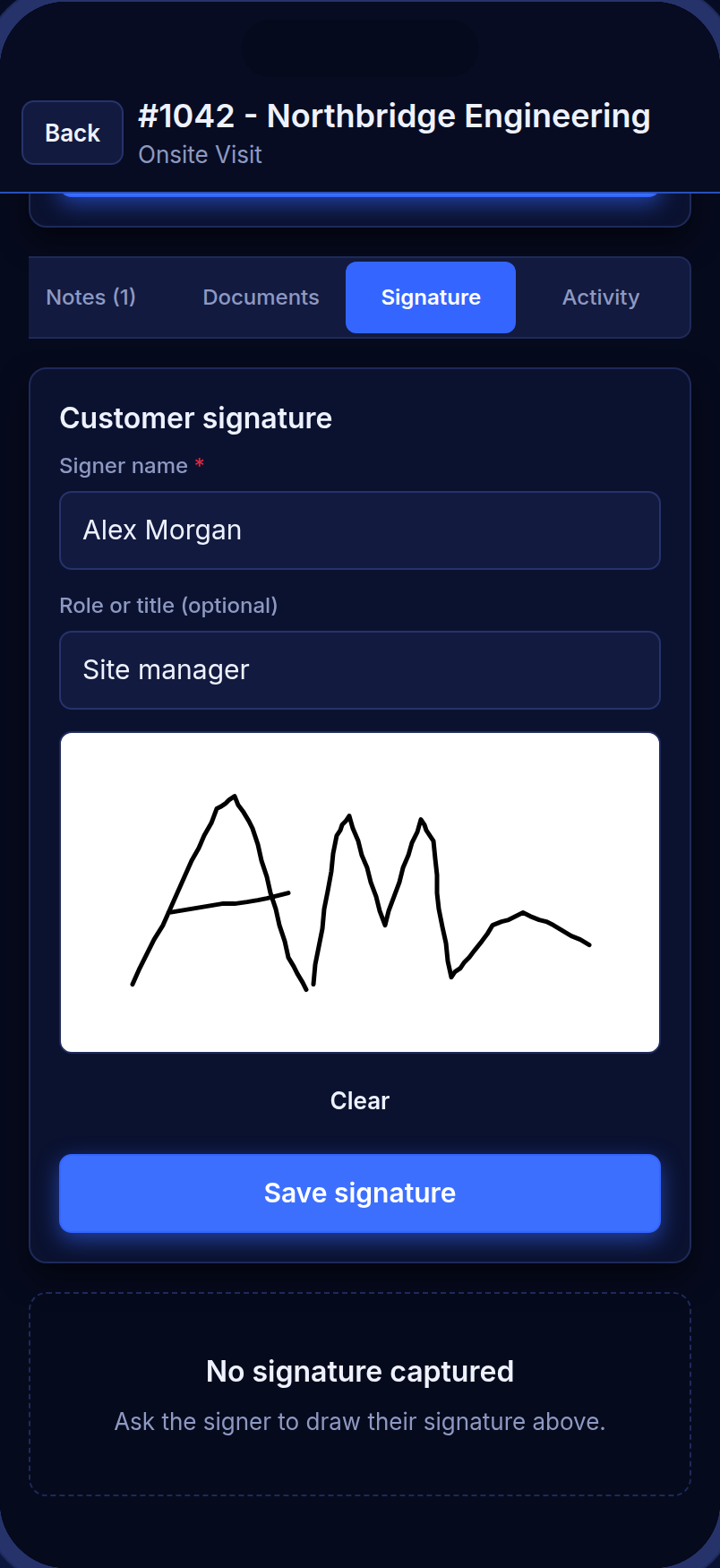
Office review before billing
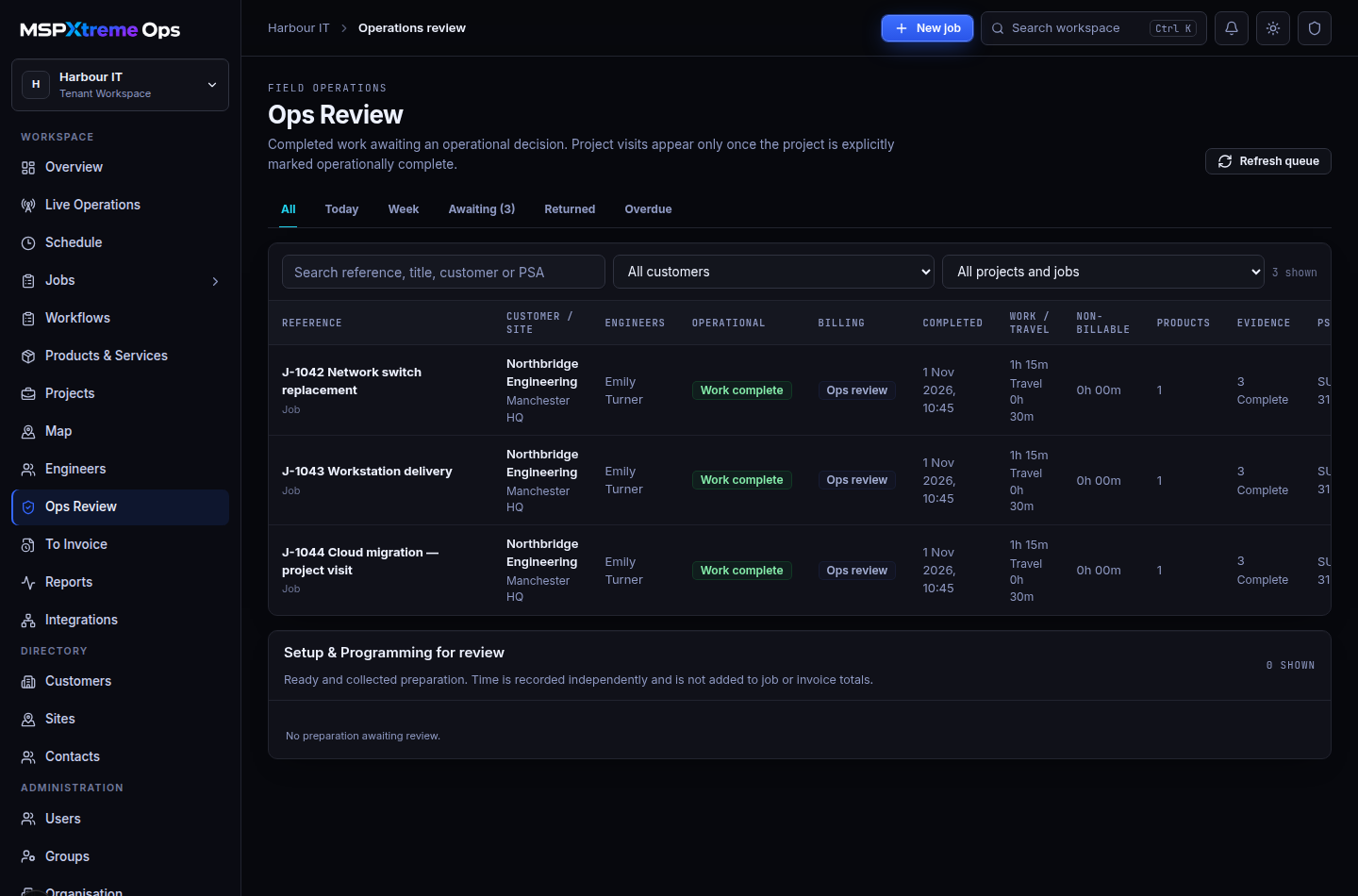
Ops Review: nothing is billed unchecked
When an engineer marks Work Complete, the job moves to Ops Review. The office checks time, products and evidence, then makes a recorded decision.
- Approve
- Return to the engineer or reopen
- Mark as no charge or included in contract
From completed work to invoice
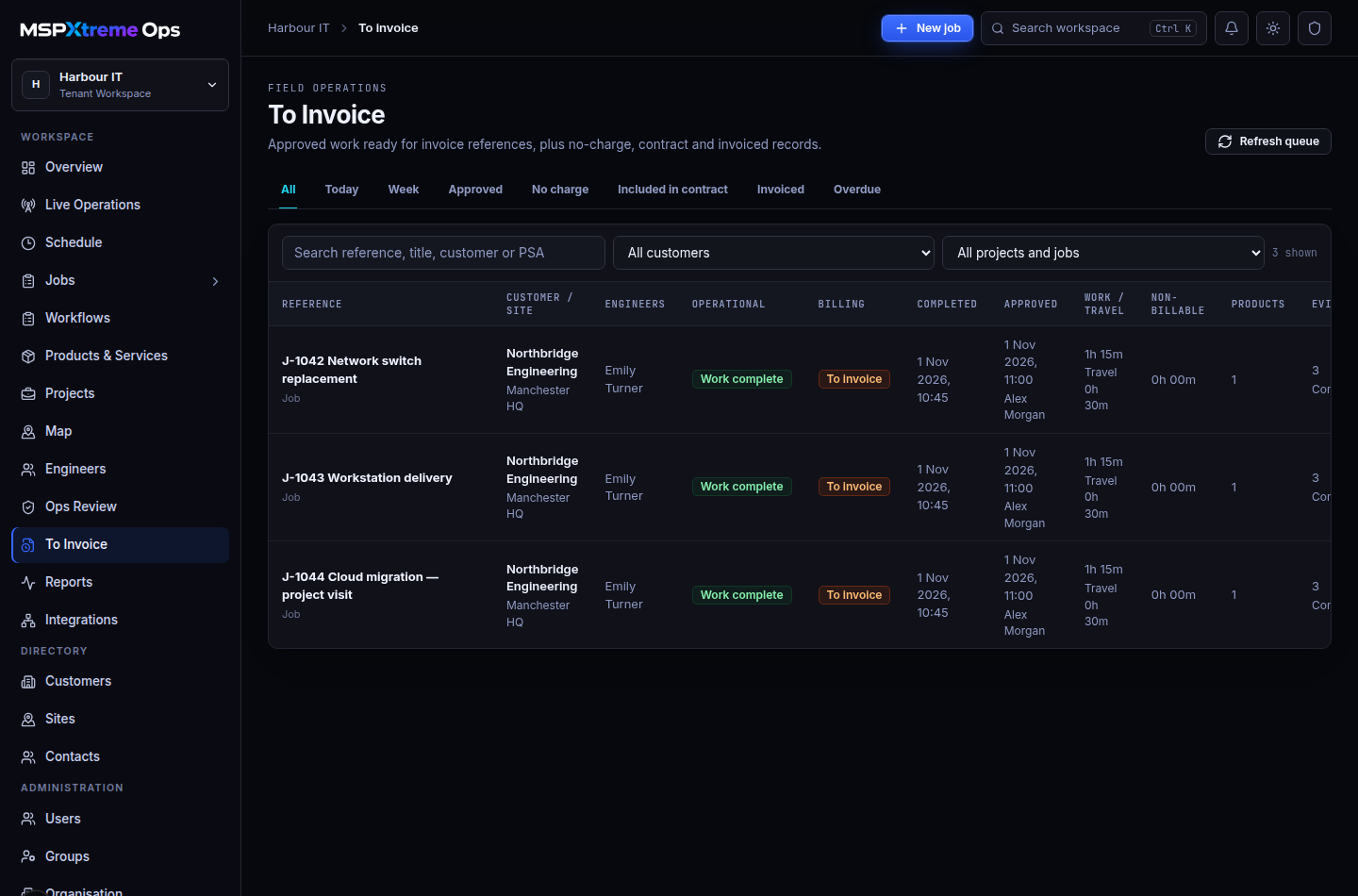
A finance queue with everything attached
Approved work lands in To Invoice with invoice preparation data. Finance raises the invoice in your existing billing system, records the reference, and closes the job.
- Invoice preparation data per job
- Finance notes
- Invoice reference and final closure
Office portal, light or dark
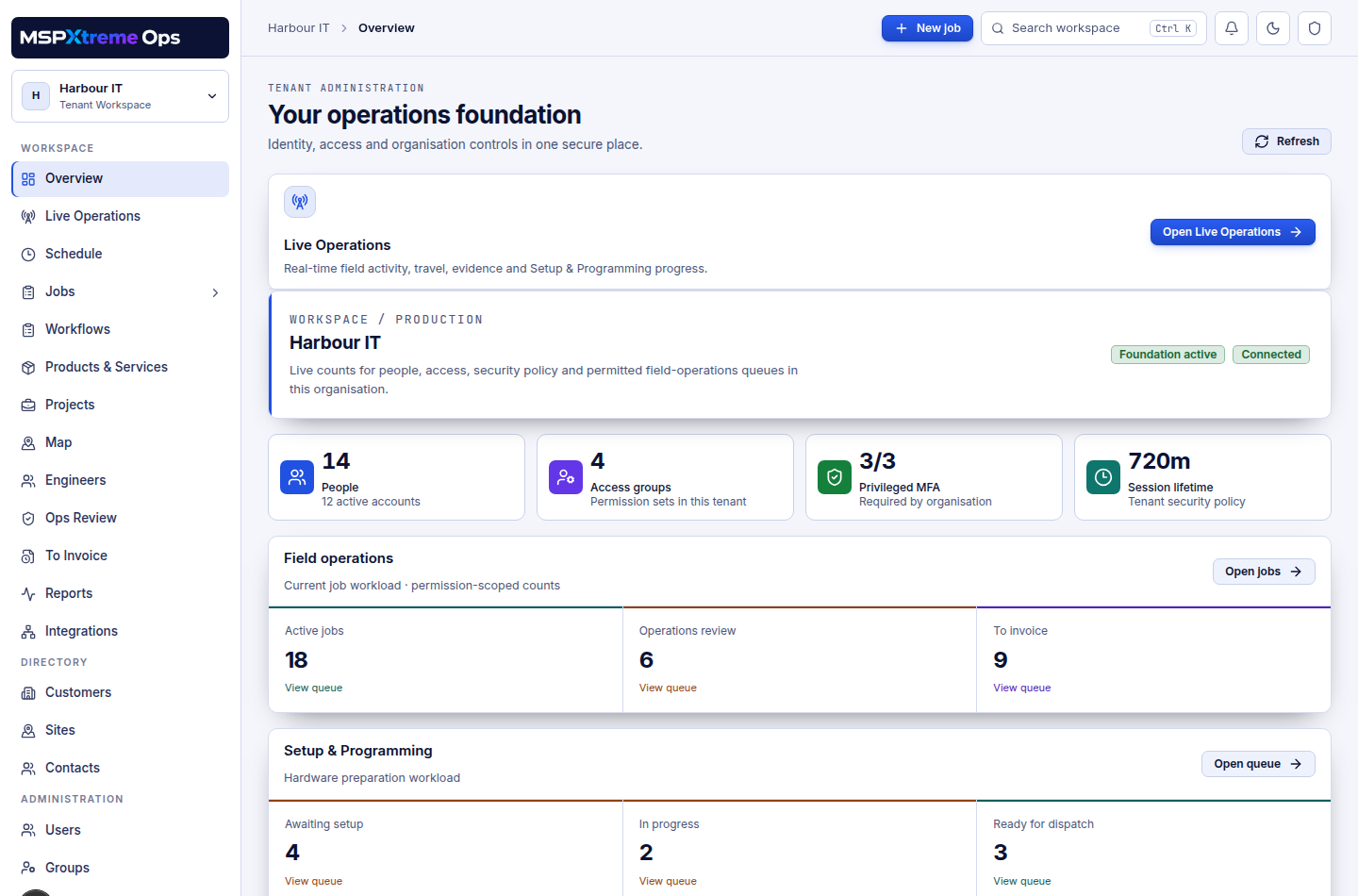
Your office chooses how the portal looks
Each office user can switch the authenticated portal between dark and light mode from the top bar. The choice is remembered in their browser.
Works alongside your PSA
Keep your PSA. Add the field layer.
Your PSA stays the system of record. MSPXtreme Ops carries ticket references onto field jobs and runs the work in the field.
SuperOps PSA
PSA
Customers, contacts, ticket references and technician mapping, connected with your own workspace credentials.
Microsoft 365 calendar
Calendar
Engineer free/busy time in the schedule as privacy-safe busy blocks.
Apple Maps, Google Maps and Waze
Navigation
Engineers open the destination in the navigation app they prefer.
Additional PSA platforms
PSA
Additional PSA integrations, including HaloPSA, ConnectWise PSA and Autotask, are on our roadmap.
Native mobile and offline
An app engineers will actually use
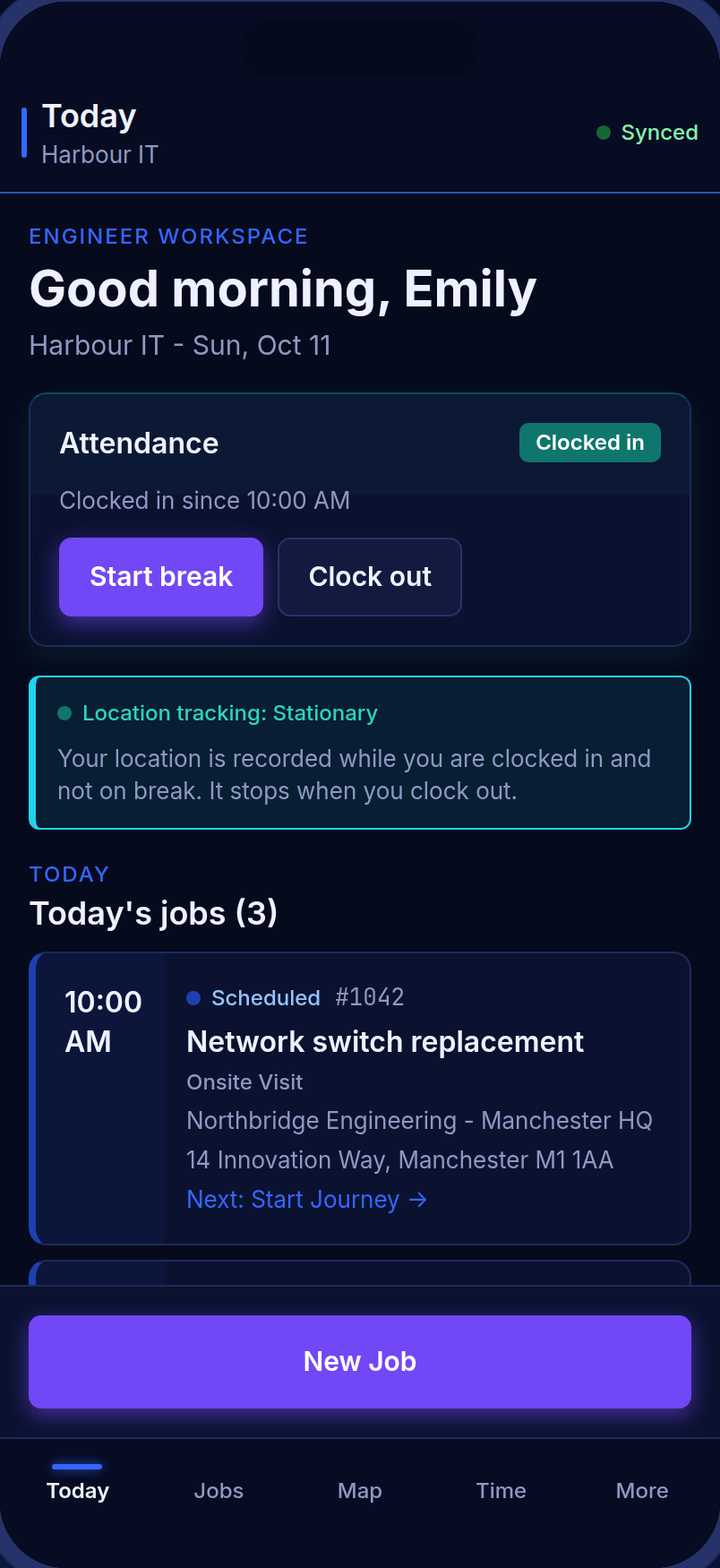
Native on the device, fast to navigate, and built for sites with no signal.
Works without signal
Jobs, workflows, attendance, journeys, photos and signatures queue on the device and sync on reconnect.
Navigation hand-off
Open the next site in Apple Maps, Google Maps or Waze.
Less admin
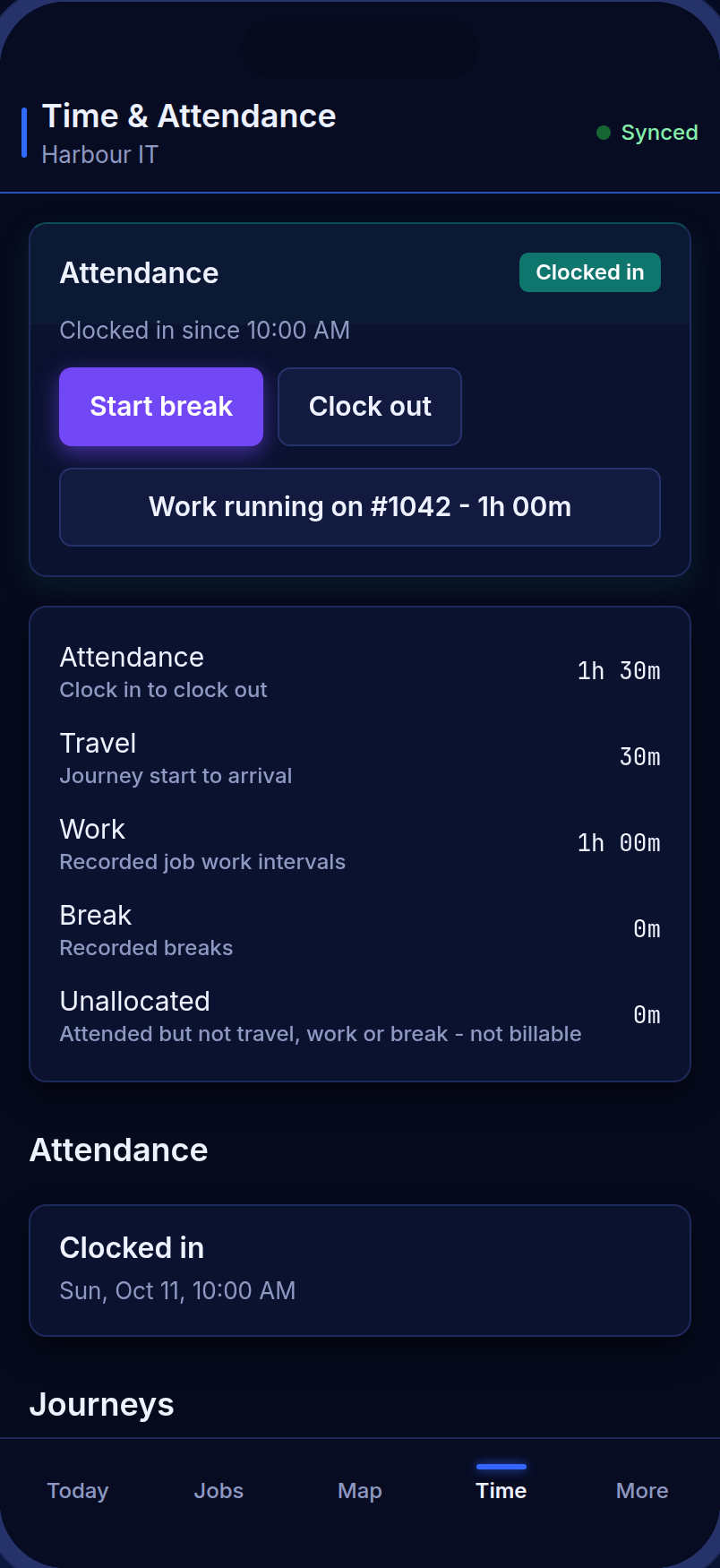
Time is recorded by the actions engineers already take. No timesheet at the end of the day.
Designed specifically for MSPs
Not trade software with an IT label
MSP engineers work tickets, handle hardware, run project visits and switch between unrelated customer requests. The product is built around that.
| Generic field service tools | MSPXtreme Ops |
|---|---|
| Built around trades and one-job-per-visit | Engineers switch between unrelated customer requests on one visit |
| Replaces your back-office system | Sits alongside your PSA and keeps ticket references |
| Parts as stock lines | Hardware with serial numbers, RMAs, deliveries and collections |
| Single visits only | Project visits with separate project completion |
| Hardware turns up on the day | Preparation, unit checks and collection handoff before the visit |
| Time as a single total | Attendance, travel, work and breaks separated for billing |
What changes
Outcomes your office will notice
- 01
Fewer missed billable items
Products, travel and extra work are recorded at source.
- 02
Less engineer admin
No end-of-day timesheets or emailed photos.
- 03
Better evidence
Photos, signatures and serials attached to the job.
- 04
Cleaner dispatch
Availability, conflicts and calendar busy time in one board.
- 05
Clearer field visibility
Live map, attendance and travel state together.
- 06
Faster billing handoff
Approved work lands in a finance queue.
- 07
Fewer incomplete job records
Required workflow steps before completion.
- 08
Consistent engineer processes
Every job type follows the same steps.
- 09
A better audit trail
Corrections, status changes and location evidence kept.
- 10
Less reliance on memory
Captured during the job, not recalled afterwards.
New to MSPXtreme Ops?
See how the trial works, then set up a workspace, invite your team and run a real job end to end.
- Create your workspace
- Invite office and field users
- Configure job types and workflows
- Connect SuperOps, sync the catalogue and add Microsoft 365
Pricing
Plans for growing MSPs
Current published offers. Every plan runs on the same field operations platform.
Keep your PSA. Give your engineers something better.
Start a trial workspace or see the full workflow in a guided demo.